Resource Network- Managing Resource Opportunities
Written By Stacey Kessler
Last updated About 2 years ago
Navigate to Resources —> Opportunities from the left navigation
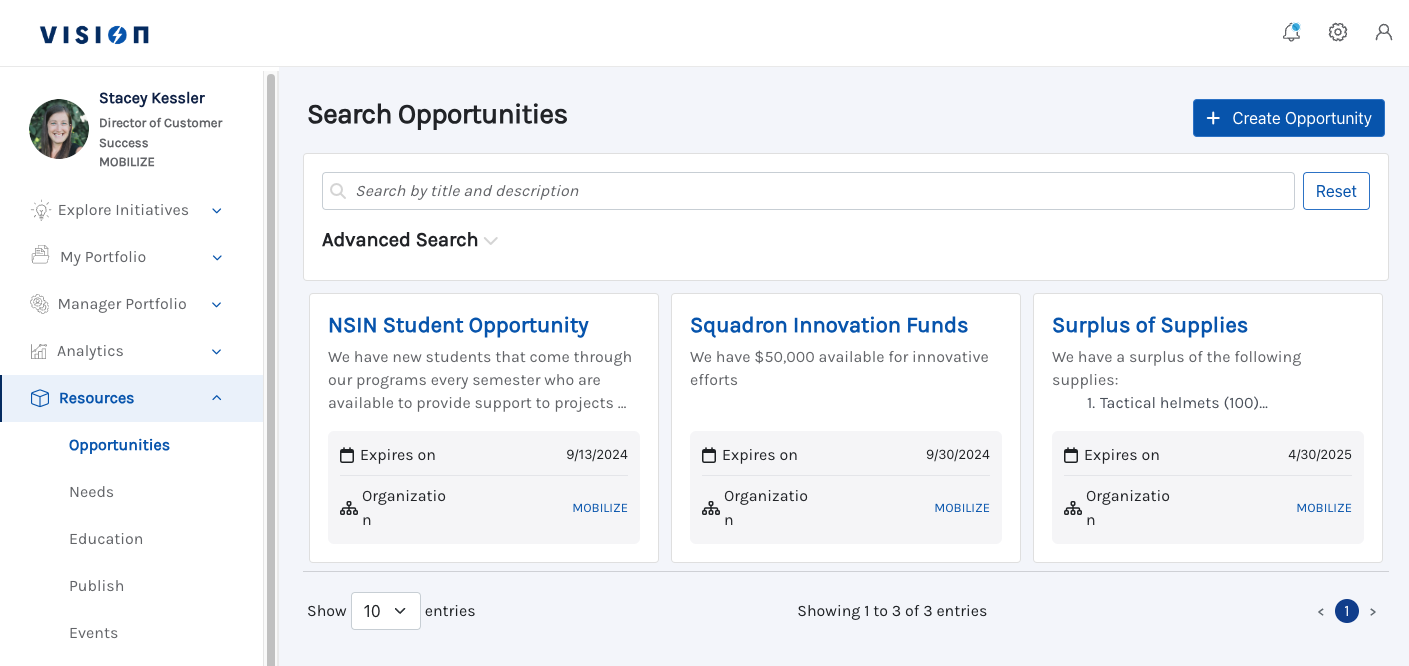
Click into the Opportunity you created in order to view Matched Needs, Applications and Distributions
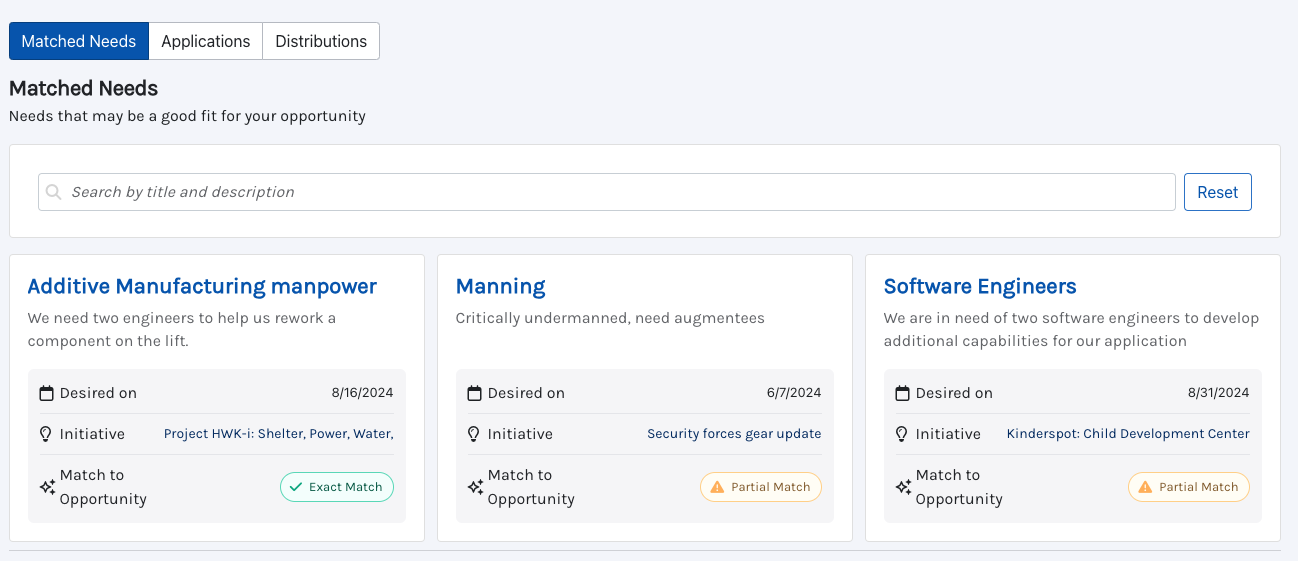
View matched needs
Each card is a different need that matched to your opportunity
Card details
Name of need- you can click on the name in order to see more details about the need
Description of need
Desired by date
Initiative title
Strength of the match
View Applications
This gives users the ability to apply to an opportunity even if they didn’t automatically match
View Distributions
This view gives opportunity owners the ability to see all of the needs they have distributed to
Opportunity owners have the ability to remove a distribution by clicking the stacked three dots on a card to remove a distribution
Distribute to a need
Click on individual need which can be done in two ways
On the left navigation click Resources —> Needs —> Click individual need
On the left navigation click Resources —> Opportunities —> Click into the specific Opportunity you want to distribute from and then click into the individual need
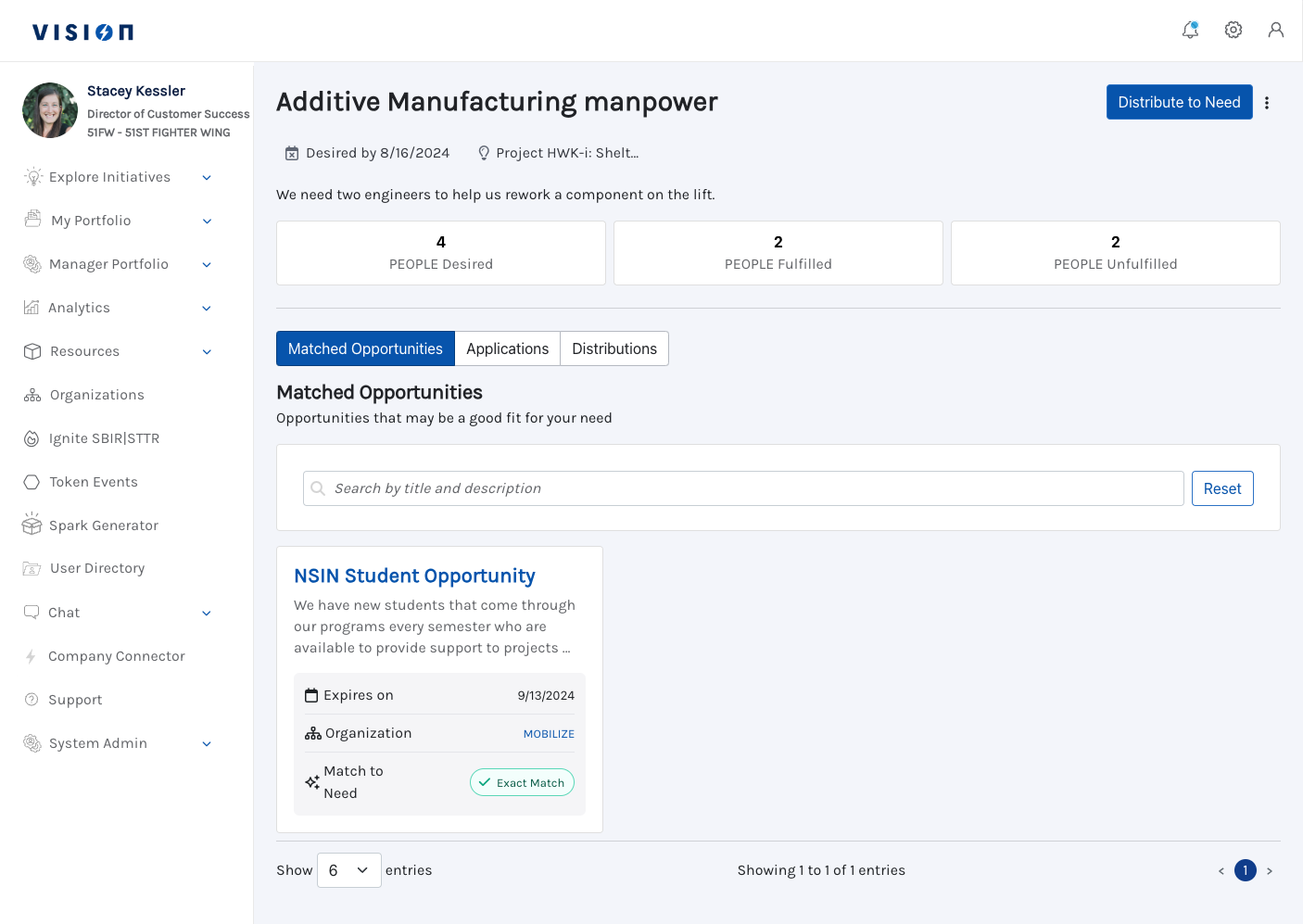
Once in the individual need click Distribute to Need
Select the Opportunity you are distributing from, the amount and any comments
Edit the opportunity
When in your opportunity click the stacked three dots in the right corner to edit the opportunity
/