Updating your VISION profile details
This resource will give you everything you need to update your profile details.
Written By Stacey Kessler
Last updated About 2 years ago
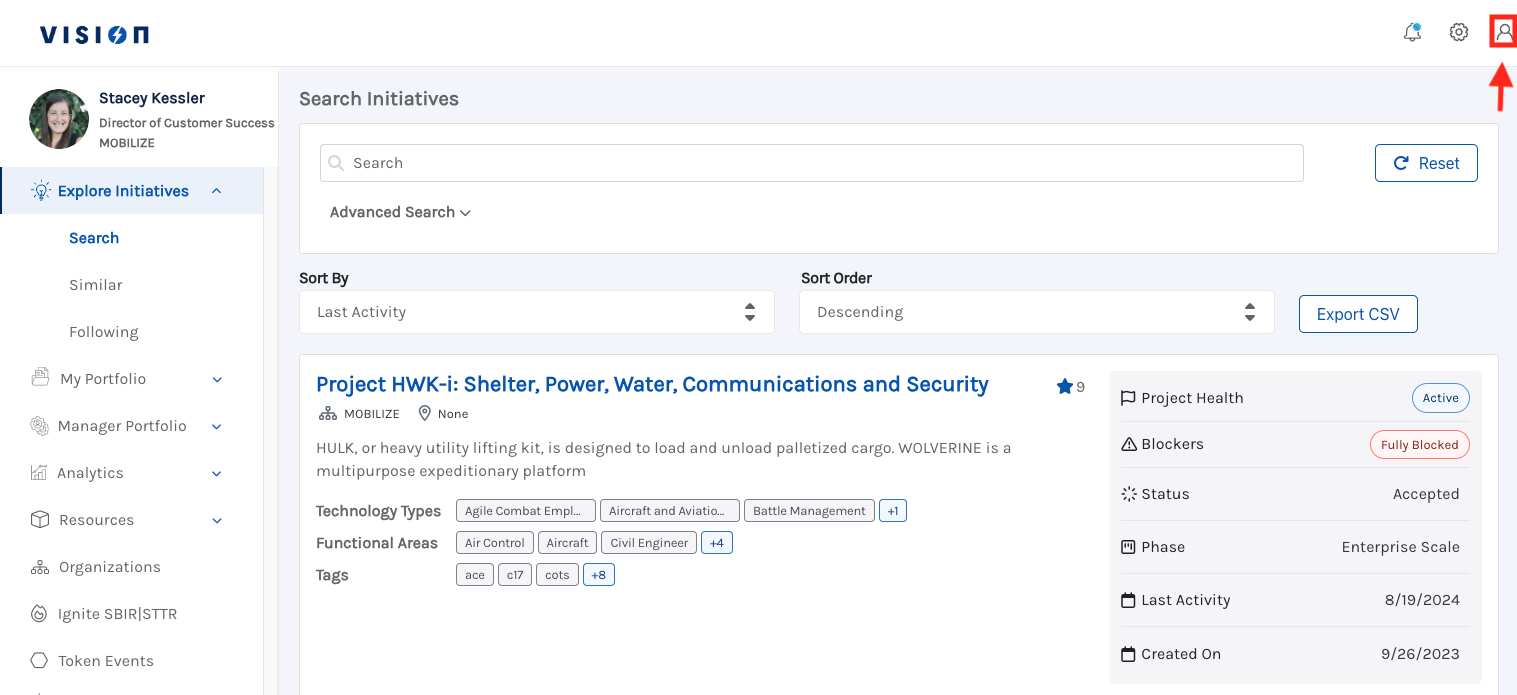
From any page within VISION you will see the Person Icon in the top right corner
Once clicked you will be taken to the following page where you will click Edit
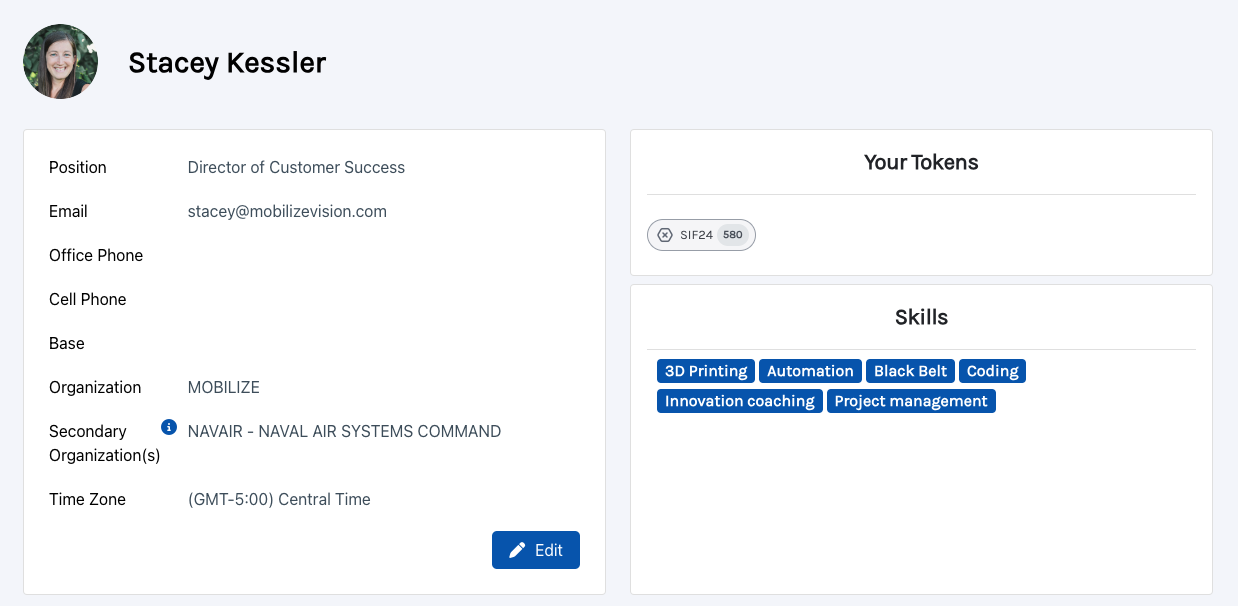
You can update the following fields on your profile:
First name
Last name
Position
Base/Installation
Organization
Time Zone
Skills
Office Phone
Cell Phone
After edits are complete click Save and your profile will be updated!